01
Overview
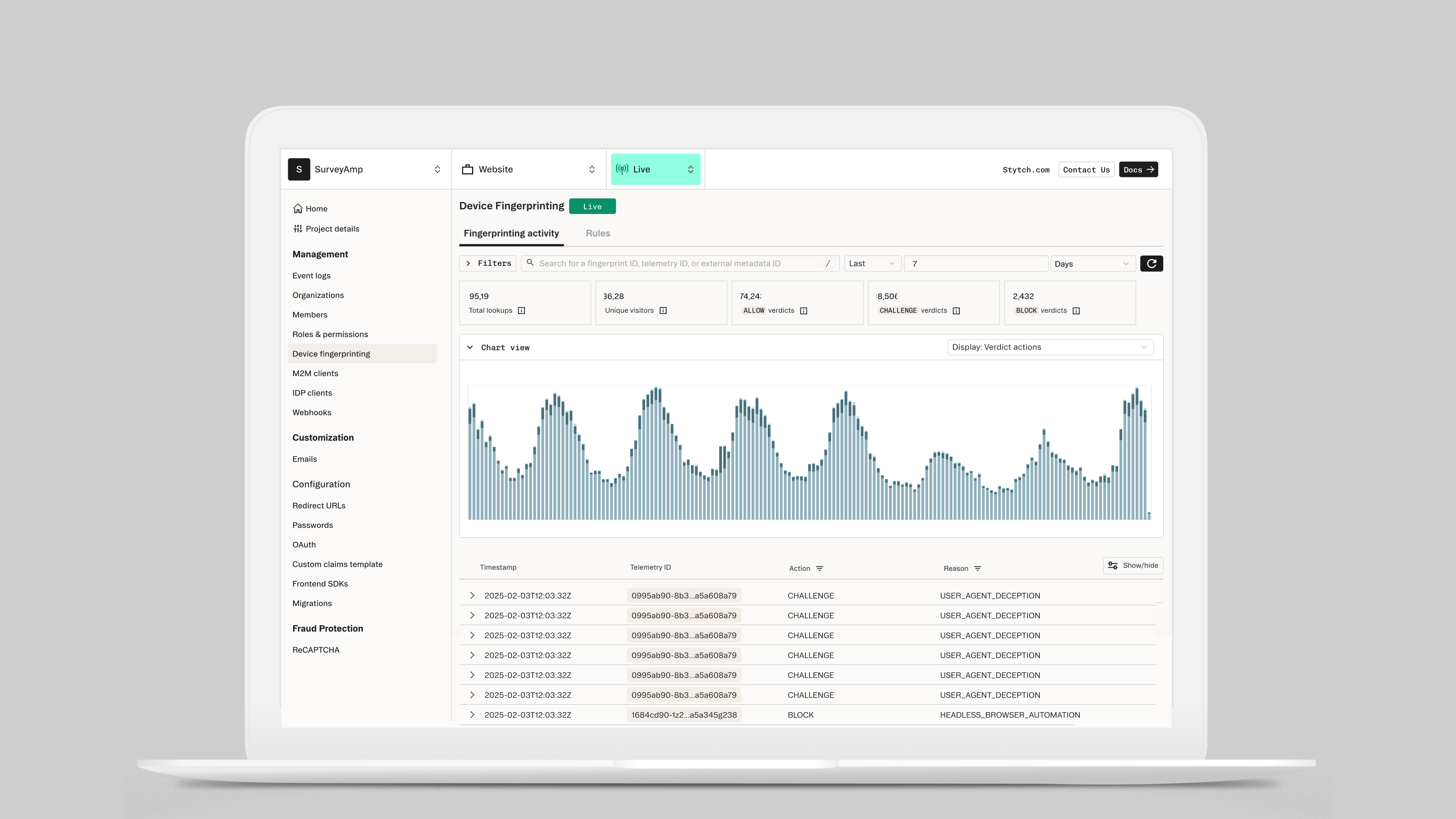
Device fingerprinting is one of the most technically complex features Stytch has built — a fraud prevention layer that lets customers analyze traffic patterns, identify suspicious devices, and create rules to block or challenge bad actors. The challenge wasn't building the capability; it was making it usable. How do you design a tool powerful enough for sophisticated security teams, but legible enough that a customer can make good decisions without a solutions engineer on the phone?
Impact
Device fingerprinting is a technical concept — it sits at the intersection of authentication, fraud signals, and traffic analysis. When Stytch launched the feature, integration required heavy involvement from solutions engineers and internal engineering teams. Customers couldn't get meaningful value from the tool without Stytch personnel walking them through it.
That was a bottleneck. For customers to trust the product and use it independently, they needed to be able to understand their traffic, interpret what they were seeing, and take action — all from within the UI.
I led both the research and design for this project, and from the start I pushed for an experience that educated as it informed. The UI needed to do more than display data — it needed to give customers enough context to make confident decisions about their traffic without relying on us.
I audited how other data streaming and security platforms handled similar complexity, and used those patterns as a starting point. The goal was to design something that felt familiar to security-minded developers while being approachable for the broader range of customers who would use it.
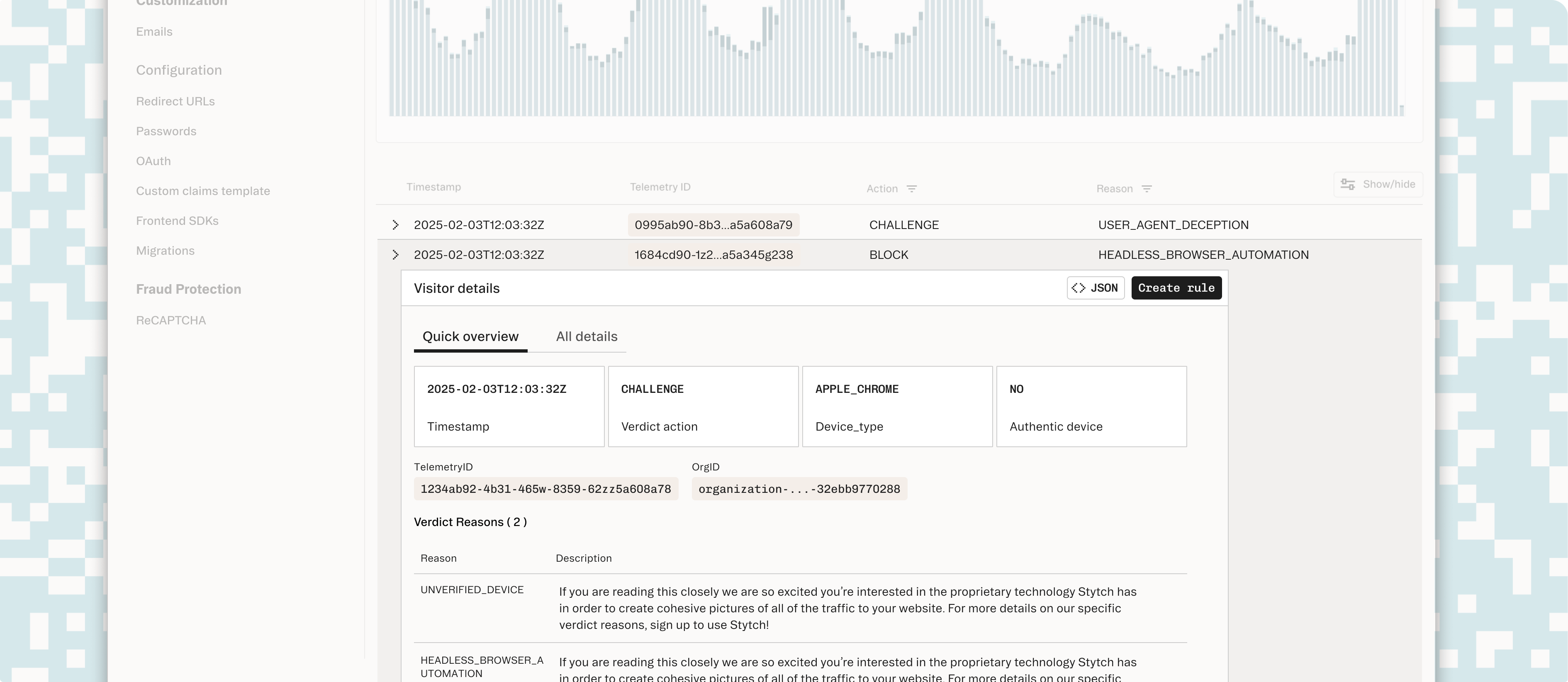
The first challenge was helping customers dig into their data without needing to understand every underlying signal. I designed an advanced filtering system using patterns familiar from developer and data tools — composable filters that let customers slice traffic by device type, behavior signal, geography, and risk score.
The key was making filters feel powerful without requiring customers to know what they were looking for upfront. Filters exposed the right vocabulary — Stytch's fingerprinting signals — while keeping the interaction model simple enough to explore.
Creating rules to block or challenge traffic is the highest-stakes action a customer takes in this tool. Get it wrong and you block legitimate users; get it too conservative and fraud slips through.
I designed a rule builder that shows customers a live preview of the traffic their rule would affect as they construct it — so they can see the targeting scope before they commit. This inline feedback made the tool significantly less scary, because customers could validate their intent before any rules went live.
The redesigned experience made it possible for customers to understand their traffic, explore the data, and create rules without requiring assistance from Stytch's team. From qualitative conversations with customers post-launch, the improvement to their workflows was significant — the kind of feedback that signals a tool has gone from something you tolerate to something you actually use.
Rule creation engagement improved, and we expect overall fraud prevention across Stytch customers to improve as more teams adopt the tool and configure it to their specific threat models.
This project was part of Stytch's broader push into fraud and risk prevention — positioning the platform not just as an authentication layer but as a comprehensive security tool.
Key Decisions
Power vs. approachability
Security teams need sophisticated filtering and rule-building capabilities. But Stytch's broader customer base isn't security experts. I designed the filtering system using composable patterns familiar from developer tools — powerful enough for advanced users, but with a vocabulary that helped less technical customers explore without needing to know what they were looking for upfront.
Live preview for high-stakes actions
Creating fraud rules is the highest-stakes action in this tool — block too aggressively and you lose legitimate users. I added a live preview showing exactly which traffic a rule would affect as it's being built. This made the scariest action in the product feel safe, because customers could validate intent before committing.
01